Per-app settings
Sets two optional, per-app behaviors: a filter that lightens what KPImailer has to read through when syncing this app, and a default Qlik theme to render it with.
-
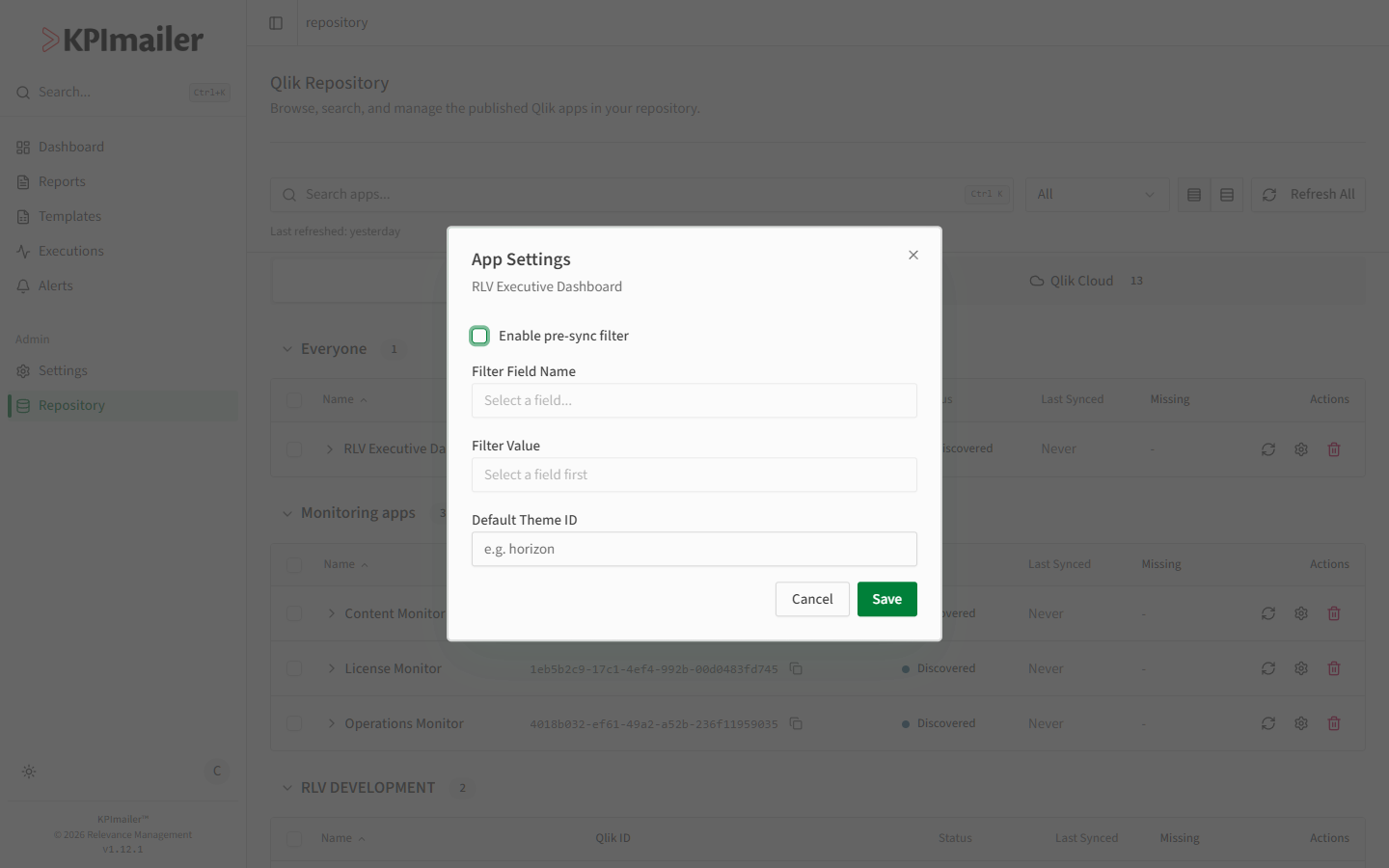
In Repository, select the Settings (gear) icon on an app’s row.
-
Turn on Enable pre-sync filter to make syncing this app lighter and faster: choose a Filter Field Name and a Filter Value. KPImailer applies that selection in Qlik before it reads through the app’s sheets, objects, measures, dimensions, and fields, so a sync only has to work through the slice of data you picked instead of the app’s full dataset.
-
Set a Default Theme ID to have reports and templates built against this app render using that Qlik theme unless overridden.
-
Select Save.
When to change this
Section titled “When to change this”- Syncing a large or heavily-used shared app is slow. The more data an app holds, the more KPImailer has to read through every time it syncs. A pre-sync filter narrows that down before the sync starts, so it completes faster and puts less load on the Qlik server.
- This KPImailer install only ever needs one slice of a shared app - for example, Qlik developers maintain one app covering every region, but this install only reports on EMEA. Filtering at sync time means KPImailer never has to read through the regions it doesn’t need, on every sync.
Worked example
Section titled “Worked example”A shared Qlik app holds sales data for every region, and syncing it is slow because of how
much it contains. This KPImailer install only ever reports on the “EMEA” slice. An
administrator opens the app’s Settings, enables the pre-sync filter, sets the
Filter Field Name to Region and the Filter Value to EMEA, and saves - every future
sync now only has to work through EMEA’s data, so it finishes faster, and the fields and
values KPImailer discovers from this app reflect EMEA only.